Turn off AI improvement ASAP


Hey friends!
It’s been a minute, but this one’s quick and a pretty big win, so let’s get into it.
404Media reported recently that OpenAI (maker of ChatGPT) and Anthropic (maker of ClaudeAI) are both using human contractors to read through user chats to improve their models.
The chats themselves are separated from usernames and anonymized, and they use a different model to attempt to strip chats of personal details, but it turns out that process isn’t foolproof, of course, and sensitive user data IS getting through to these contractors.
Here’s how to make sure your chats are excluded from the ‘model improvement’ process (a setting that is turned on by default for users of Free and Pro plans):
ChatGPT
Here’s how to turn it off on ChatGPT:
- Open ChatGPT.
- Click on your username/profile in the bottom left corner of the screen.
- Click Settings.
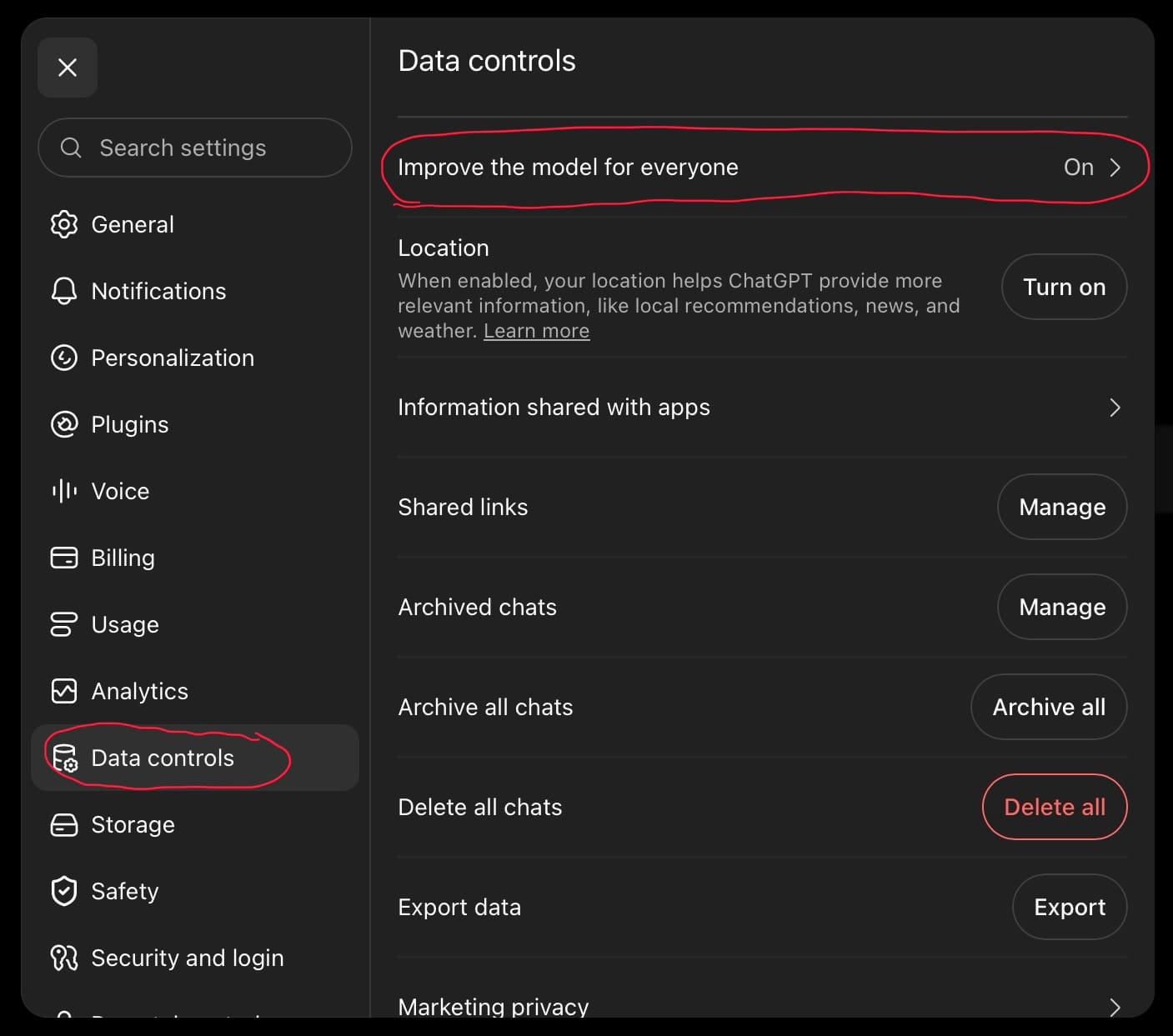
- Click Data Controls in the Settings panel.
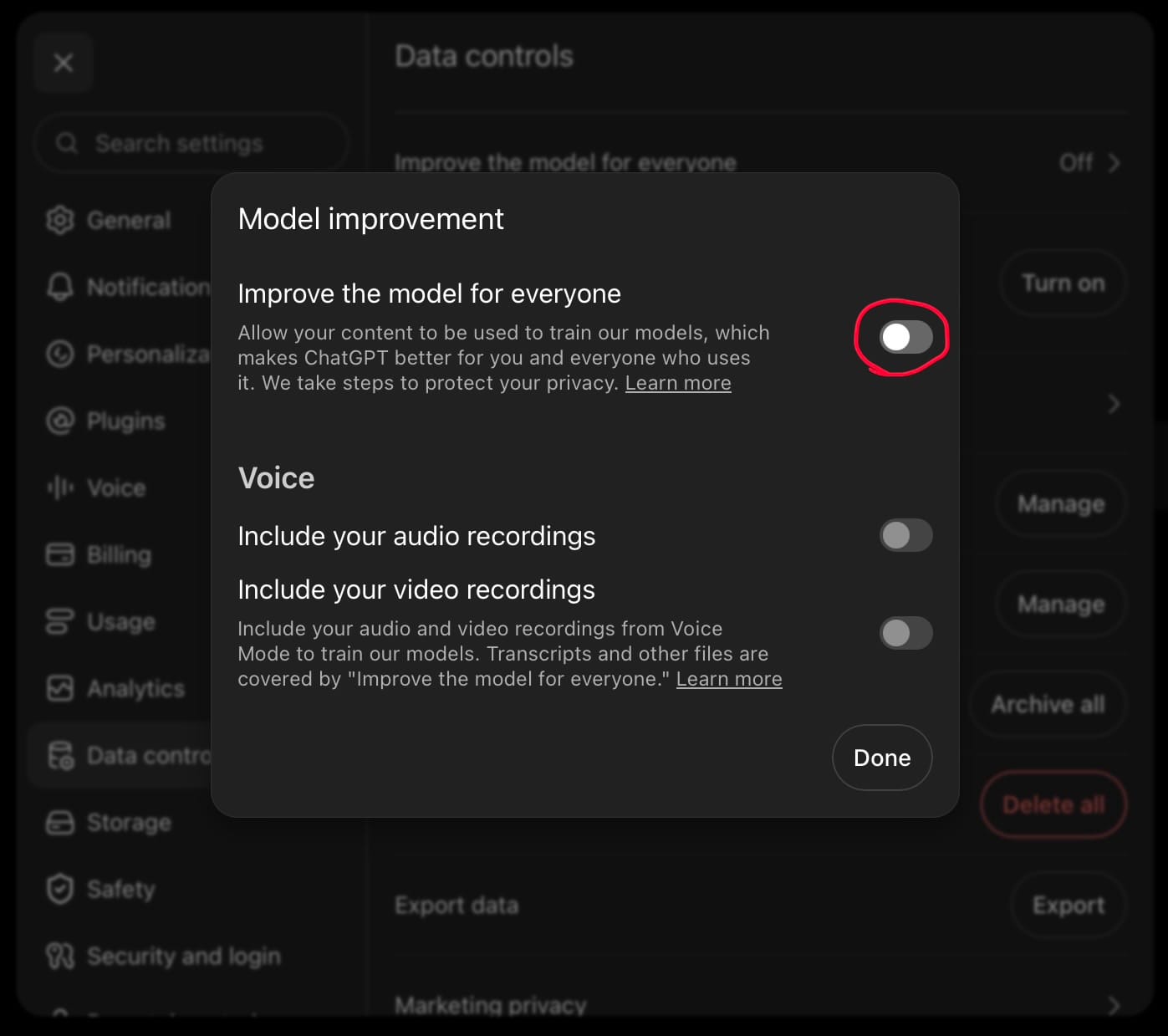
- Make sure “Improve the model for everyone” is Off.
- If it says ‘On,’ click on it and turn the toggle next to “Improve the model for everyone” to the off position (all gray, no blue).
ClaudeAI
Here’s how to turn it off on ClaudeAI:
- Open ClaudeAI.
- Click on your username/profile in the bottom left corner of the screen.
- Click Settings.
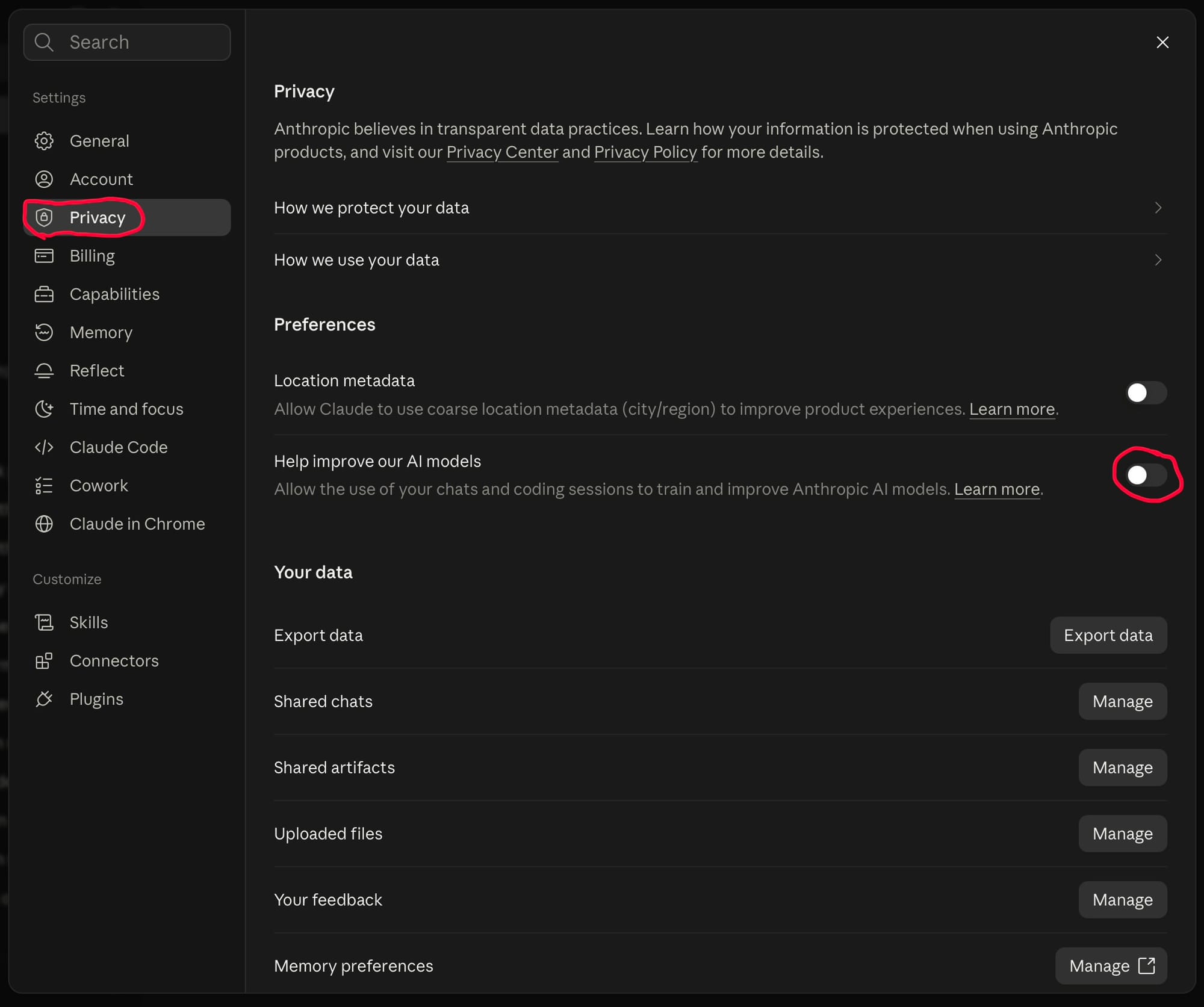
- Click Privacy in the Settings panel.
- Make sure the toggle next to “Help improve our AI models” is turned off (gray, no blue).
Welcome new folks!
If you’re new here, welcome! Just a quick note that I have moved from Substack to Ghost for better privacy, so if you followed on Substack but you’re getting this from Ghost, it’s because I’ve moved your subscription here.
If you don’t want to get future WPP updates delivered through Ghost, go ahead and click unsubscribe at the bottom of the email, but know that I won’t be sending anything from Substack, so you won’t hear from me at all, if that’s your prerogative.
Thanks for reading, keep on keepin’ on!
KL


